Hello everyone …
did you all enjoy PM last sunday 
anyways here are the file links to PM notes
https://www.dropbox.com/s/62v5rf4avts1dq2/Lesson%206_ITPM.pptx?dl=0
Hello everyone …
did you all enjoy PM last sunday
anyways here are the file links to PM notes
https://www.dropbox.com/s/62v5rf4avts1dq2/Lesson%206_ITPM.pptx?dl=0
What are the different types of maintenance ?
What are Bugs, Versions, Patch , Releases
a) A legacy system is a computer system that a company no longer wishes to support. It still works but not bugs or updates will be issued. It is possible that a third party may maintain the software but it has deemed to have reached the and of its life.
b) A bug is an error in the software. It could be terminal (cause the application etc to fail) or may cause an error too occur in an action (for example an error in a calculation) Normally a compiler or development environment will remove syntax errors A bug may also be implemented due to a faulty design.
c) Version control is related to documentation and software A library is established with previous versions Use to ensure that different version of documents and software can be maintained
d) A patch is used to fix an error in a piece of software Patch Tuesday is a traditional day when patches are released. A reported patch may show a flaw in a piece of software that could be used for an attack. Patch management is an important part of any company
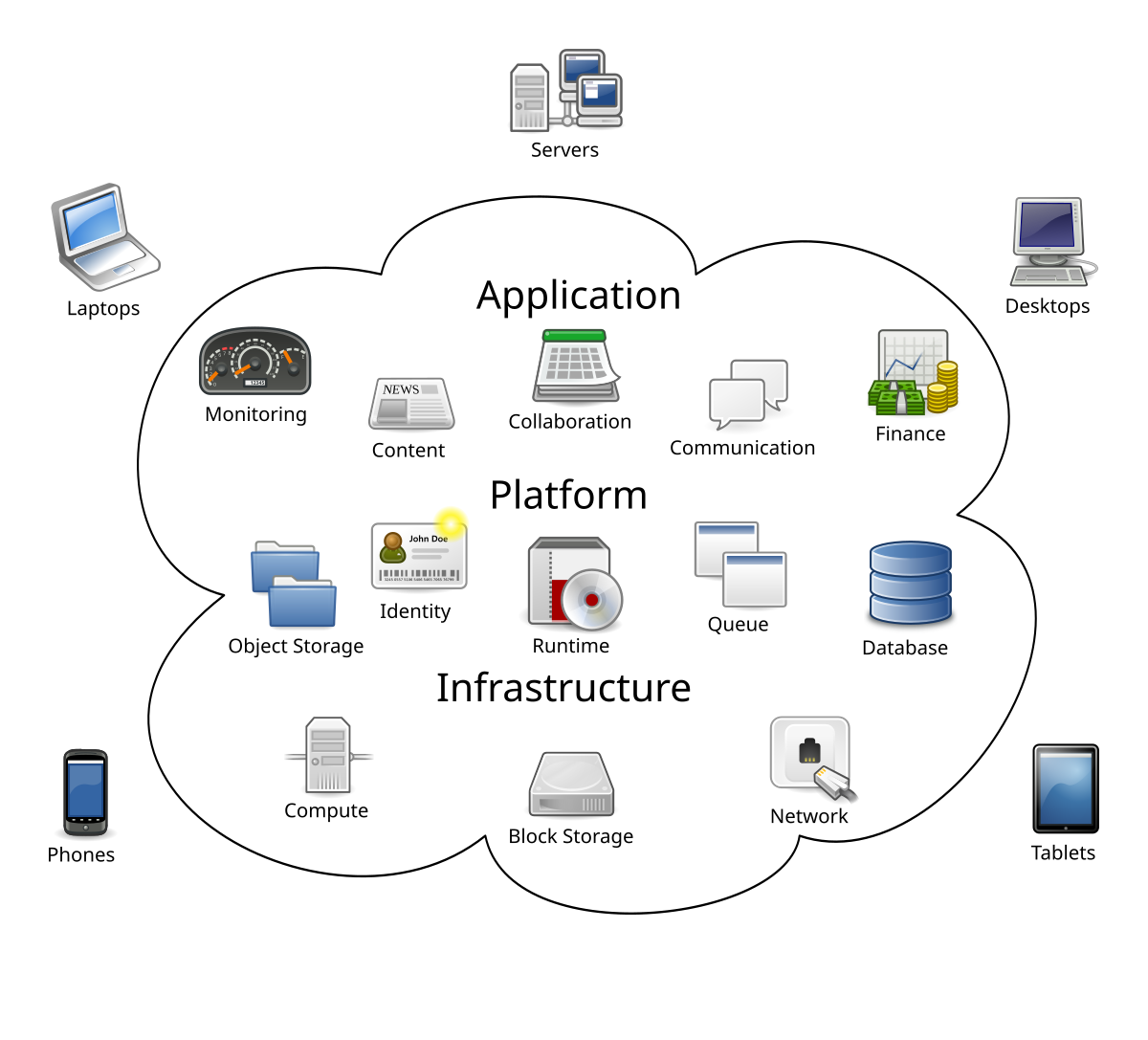
What is cloud computing : it is a service provided with virtualization. Virtualization refers to using virtual electronic services by an organization to remove ocation dependency , enabling users to connect , interact via networks .
he group of networked elements providing services need not be individually addressed or managed by users; instead, the entire provider-managed suite of hardware and software can be thought of as an amorphous cloud.(Wikipedia)
a) Infrastructure as a service - Provides virtualisation for a business A third party provider host virtually all the resources required by a company – that is software, hardware, server’s storage and other elements of infrastructure The third party will handle all maintenance, back up recovery etc. Effectively a small company can outsource its entire computing provision to a cloud provider Some discussion on advantages about not needing expensive people, machines etc or discussion about over reliance on third party etc
b) Platform as a service - Provides an environment that allows developers to build applications and services Might be a point and click development environment where key components have already been built (almost off the shelf) These services are managed by the cloud provider. Usually a subscription service Advantage – company does not have to purchase an infrastructure, using existing pre-build apps should increase security. Disadvantages – reliance on third party code, reliance on cloud provider etc
c) Software as a service - Removes the need for an internal data centre A third party hosts the data, and performs all the associated backup and recovery. May be a pay as you go style contract Allows the ability to upscale or downscale depending on requirements Does not required expensive on expensive highly trained individuals But does rely on the third party provider
backend as a service (BaaS), web app and mobile app developers are provided with a way to link their applications to cloud storage and cloud computing services with application programming interfaces (APIs) exposed to their applications and custom software development kits (SDKs). Services include user management, push notifications, integration with social networking services[78] and more. (Wikipedia)
Possible threats
Advantages and Disadvantages of Software Selection Methods are follows .
read more : https://www.alberon.co.uk/blog/off-the-shelf-vs-bespoke-software-development
here is a summary ;
Try Sep 2017 A4 part b now
Off the Shelf | Bespoke | |
Advantages | • Less Expensive to buy than develop • Saves Development Time • Less no of Errors identified / high accuracy • less amount of Testing needed • Added maintenance support | • Maximize user satisfaction • Modifications can be done • ensure confidentiality • Completely caters to business functions • Versions can be released |
Disadvantages | • Modifications are not usually possible • unwanted features may exist • Might not cater to all business functions
| • More expensive • Takes time to develop / test • Can have errors at the beginning • Less support and guidance provided as a standard |
Hello Everyone ,
I know you all must be getting ready for the battle in few weeks.
Twelve years ago , in 2006 April , I too was just like you and making time tables, revision notes , past paper questions , no pay leaves (talk about it ! )
if you are able to read in sinhala, just spend a few minutes to read how I did my BCS exam in 2006 
I am sure it will bring you energy to work hard and pass the exam.. (feel free to comment )
Here is the link to my blog post :
Hello all
here are the material we discussed today – entire data organization section material
https://www.dropbox.com/sh/lzbvbjx6vxycw8d/AAA39_K-3x1iXfktLWrJwlS-a?dl=0
please do all the past paper questions

![image[4]](https://blogger.googleusercontent.com/img/b/R29vZ2xl/AVvXsEiKa8uZhhdXEMGZsgUUOneItoju46hIDD7ySyW094DyZqGPzX9xG3oOVqNgj0um035q5HCBYZ9osqUKPaEKaBiEFS5SwPkUJDoLEDmSv4io66eUb7RbKzw4TBq7pTcqGqxxuQ-ufkuymP0/?imgmax=800 "image[4]")
